Andrew Fawcett
End User Compute Technical Consultant
October 9, 2025
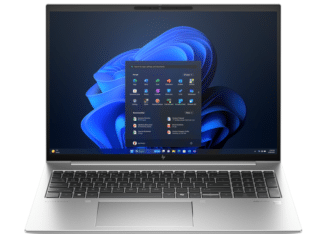
Windows 11 is more than a fresh coat of paint for Microsoft’s flagship operating system. It brings a redesigned interface, enhanced productivity tools, and stronger security foundations. All of which are critical for organisations navigating the modern workplace.
But here’s the challenge: on 14 October 2025, Windows 10 officially reaches end of support. That deadline isn’t far away, and organisations that wait too long risk hidden costs, compliance headaches and real security dangers.
At DTP, we’re working with organisations across the UK to ensure they’re ready, not only for the upgrade itself, but for the wider transformation Windows 11 makes possible.
The Top Features of Windows 11 for Businesses
Windows 11 has been designed with today’s workplace realities in mind – hybrid working, tighter security, and seamless collaboration. Here are some of the standout features:
|
Streamlined User Interface |
A centred Start menu, rounded corners, and a simplified taskbar make for a cleaner, more intuitive workspace. |
| Snap Layouts & Groups |
Smarter multitasking that lets employees organise apps and documents side by side with ease. |
|
Virtual Desktops |
Perfect for separating personal, project, or department workflows on the same machine. |
|
Microsoft Teams Integration |
Teams is now built into the taskbar, making video calls and collaboration only a click away. |
|
Enhanced Touch, Pen, and Voice Support |
Essential for hybrid teams using tablets and 2-in-1 devices. |
|
Widgets |
Personalised feeds of news, weather, and business insights that can be customised for users. |
|
Gaming-Level Graphics (DirectX 12 Ultimate) |
Not just for gamers; creative and design professionals benefit from faster rendering and visuals. |
|
Performance Improvements |
Faster boot times, better energy efficiency, and optimised background processes. |
|
Stronger Security Baseline |
Mandatory support for TPM 2.0 and Secure Boot ensures a foundation of hardware-level security. |
|
Future-Proofed Updates |
Windows 11 is built for long-term compatibility, ensuring businesses can adopt modern applications and cloud services with confidence. |
These features form the backbone of a modern, secure, and productive digital workplace.
The Dangers of Waiting
While Windows 11 offers clear benefits, the real urgency lies in what happens if businesses delay migration.
-

Here are the risks of delaying:
- Hidden Hardware Costs
Windows 11 requires TPM 2.0 and secure boot. Many businesses with ageing device estates face replacement costs far higher than expected, in some cases 40–60% over initial estimates.
- Legacy Application Gaps
Older applications, especially in regulated industries like healthcare, may not be compatible with Windows 11. Leaving migration late risks rushed (and expensive) fixes.
- Compliance Risks
Operating unsupported software makes it harder to meet industry certification requirements and maintain security patch levels, potentially jeopardising client trust and regulatory standing.
-
- Vendor Support Withdrawals
As Windows 10 phases out, software vendors will follow suit, leaving organisations with performance and compatibility issues.
- Security Exposure
Windows 10 machines beyond support won’t receive security updates. In today’s cyber threat landscape, that’s an open invitation to attackers.
The longer the delay, the higher the cost, whether through inflated procurement lead times, regulatory non-compliance, or cyber incidents.


Windows 11 Migration as a Strategic Opportunity
Successful organisations don’t see Windows 11 as just a “forced upgrade.” They use it as a springboard for IT modernisation. Migration offers the chance to:
- Embed Zero Trust Security at the endpoint level, with features like Windows Hello for Business and enhanced BitLocker.
- Support Hybrid Workforces with improved cloud integration, virtual desktops, and device management.
- Future-Proof IT Strategy by aligning device estates, applications, and management platforms with modern standards.
Businesses that act early will not only avoid hidden costs but also enter 2026 with a stronger security posture, lower operational risk, and a more efficient digital workplace.
How DTP Can Help
Migrating to Windows 11 isn’t a one-click upgrade – it’s a complex programme that requires planning, testing, and the right partner. At DTP, our experts guide organisations through every stage:
- Comprehensive estate assessments
- Application compatibility testing
- Structured pilot programmes
- Managed deployment and optimisation
Whether you’re concerned about compliance, hardware refresh planning, or simply making the most of Windows 11’s new features, we can help you build a strategy that reduces risk and maximises value.